



Customers
When someone purchases your software through Stripe or Lemon Squeezy, they automatically become a customer in Self-Host Pro.
Viewing customers
Go to Customers in the sidebar to see everyone who has purchased your products.
For each customer, you can see:
- Email address
- Products and variations they have access to
- Purchase date
- Access status (Active/Inactive)
Customer access
Active status
Customers with Active status can:
- Log in to Self-Host Pro
- View their purchased products
- Generate install scripts
- Pull Docker images from the registry
Inactive status
Customers become Inactive when:
- Their subscription is canceled
- Their access period expires (if you set an expiration)
Inactive customers can still log in and see their products, but they cannot:
- Generate new install scripts
- Pull updated Docker images
How customers access their products
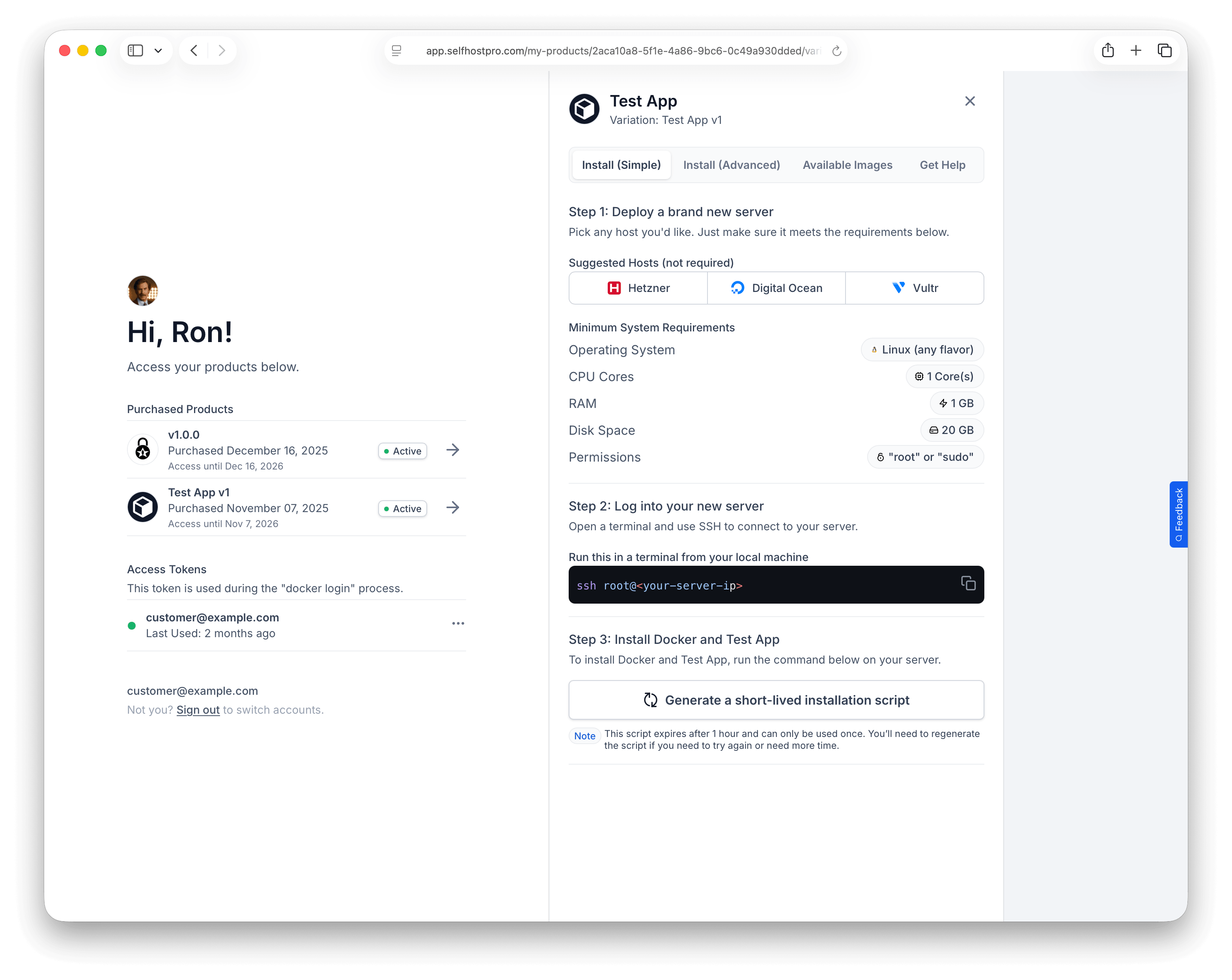
After purchase, customers receive an email with a link to app.selfhostpro.com/my-products.
They sign in with a magic link (no password): enter their email, open the link from their inbox, and they’re in. They do not need a separate “signup” step beyond the email they used at checkout.
My Products lists every product they’ve bought through Self-Host Pro, from every seller on the platform — one place to install software even when purchases come from different businesses.
From their dashboard, customers can:
- See all purchased products
- Generate install scripts
- Create Docker registry access tokens
- View documentation links you've provided
Customer support
Self-Host Pro doesn't provide end-user support for your software. Customers contact you directly using the support links you configured on your product:
- Support email
- Documentation URL
- Discord server
- Community forum
- GitHub repository
Make sure to set these on your product so customers know how to reach you.