



Seller Guide
Docker Registry
Push and manage Docker images on the Self-Host Pro registry.
Self-Host Pro provides a private Docker registry at shpcr.io. Only customers with a valid purchase can pull your images.
Registry URL
Your images are stored at:
shpcr.io/{team-url}/{product-url}:{tag}
For example, if your team URL is acme and your product URL is airstudio:
shpcr.io/acme/airstudio:latest
shpcr.io/acme/airstudio:1.0.0
Access tokens
To push images, you need a team access token.
Generate a token
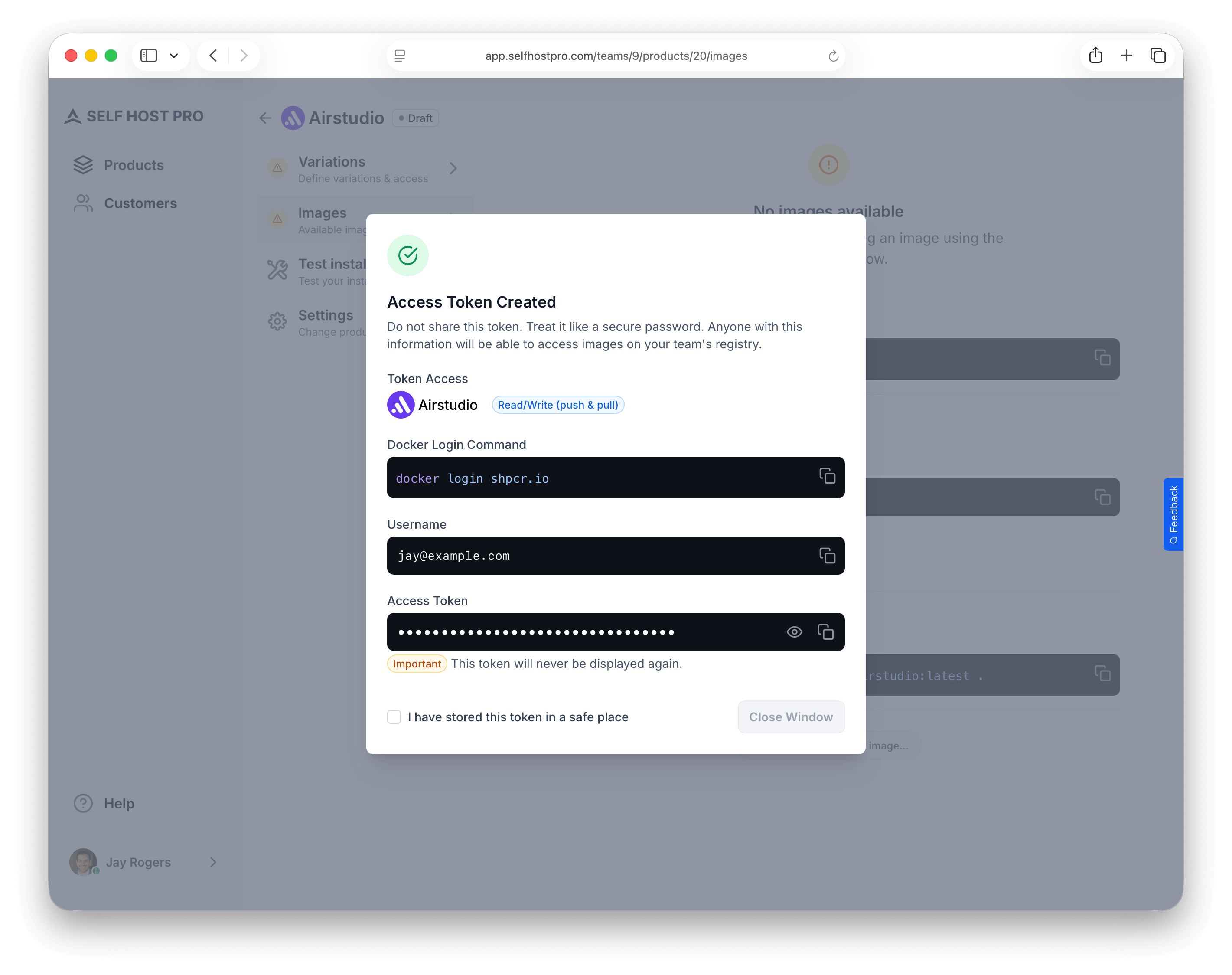
- Go to any product's Images tab
- Click Generate Access Token
- Enter a name for the token (e.g., "CI/CD" or "Local development")
- Copy the credentials — the token is only shown once
You'll receive:
- Username — Your email address
- Token — A secure password for registry authentication
Manage tokens
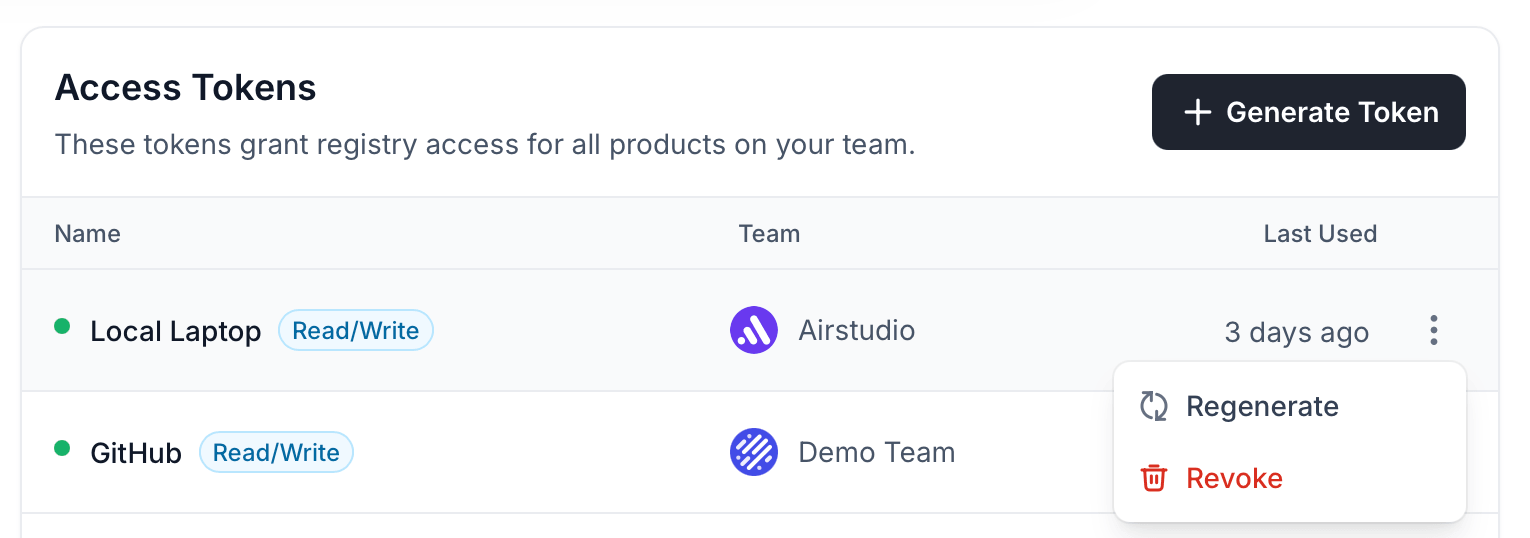
From your Profile → Access Tokens page, you can:
- Regenerate — Create a new token (invalidates the old one)
- Revoke — Delete the token entirely
Pushing images
Log in to the registry
docker login shpcr.io
Use your email as the username and your access token as the password — not your Self-Host Pro account password.
Build and push
From the directory containing your Dockerfile:
Use semantic versioning for tags (e.g.,
1.0.0, 1.0, latest). This lets customers pin to a specific version or always follow the latest release.docker build --push -t shpcr.io/your-team/your-product:your-tag .
If your Dockerfile has a different name (e.g. Dockerfile.prod), add -f Dockerfile.prod.
Viewing pushed images
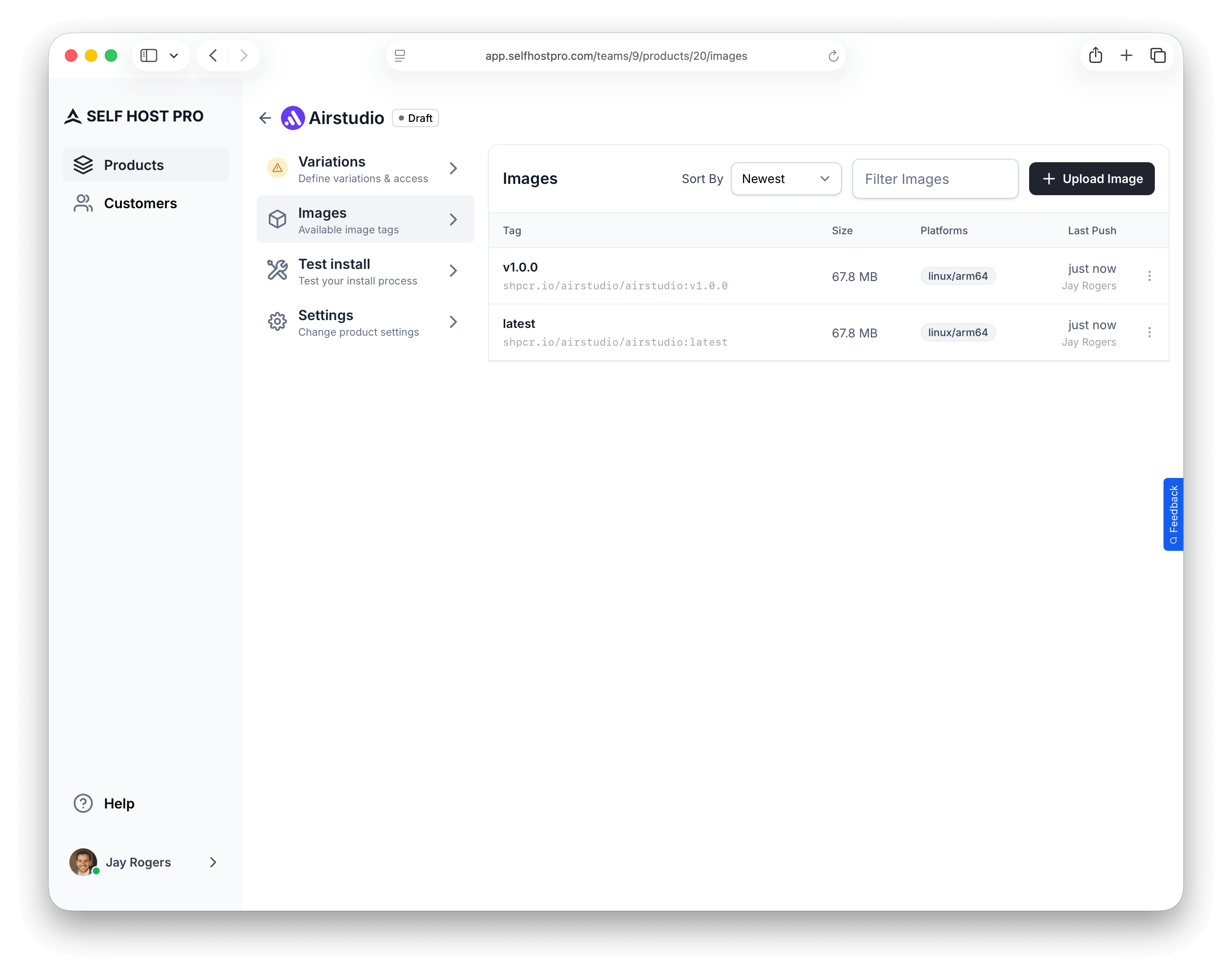
After pushing, images appear in your product's Images tab showing:
- Image name/tag (with full registry path)
- Image size
- Platforms (OS and architecture)
- Last push timestamp and who pushed it
CI/CD integration
Use your access token in CI/CD pipelines. Store the token as a secret and log in before pushing.
Want a complete setup? See "Automated Builds" for production-ready workflows with release channels, dependency caching, and reusable workflow patterns.
GitHub Actions example
jobs:
  push:
    runs-on: ubuntu-latest
    steps:
      - uses: actions/checkout@v4

      - name: Log in to Self-Host Pro registry
        run: echo "${{ secrets.SHPCR_TOKEN }}" | docker login shpcr.io -u ${{ secrets.SHPCR_USERNAME }} --password-stdin

      - name: Build and push
        run: |
          docker build -t shpcr.io/your-team/your-product:${{ github.sha }} .
          docker push shpcr.io/your-team/your-product:${{ github.sha }}
GitLab CI example
push:
  image: docker:latest
  services:
    - docker:dind
  script:
    - echo "$SHPCR_TOKEN" | docker login shpcr.io -u "$SHPCR_USERNAME" --password-stdin
    - docker build -t shpcr.io/your-team/your-product:$CI_COMMIT_SHA .
    - docker push shpcr.io/your-team/your-product:$CI_COMMIT_SHA